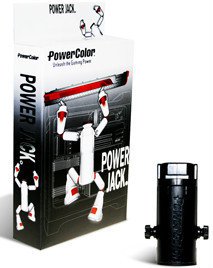
Learn more about thePowerColor POWER JACKModelBrandPowerColorModelPOWER JACKFeaturesFeaturesThe professional graphics interface card supporter.Multistage extension User friendlyHow to use:1. Remove the Extension Cap and attach to bottom of Support Base to Increase height of the Card Supporter2. Loosen the fixed screws on both side of the Card Supporter and pull up the Support Body until it cannot be pulled any more, then tighten the fixed screws3. Rotate the Adjusting Nut to modify the height of the Extension Rod. Rotate the Nut to the left to raise and right to lower4. Convenient mounting rail design for HDD5. Place the Card Supporter underneath your add-on card after installation in its PCIe slot. Adjust the height as necessary by rotating the Adjusting Nut. The Card Supporter can prevent add-on cards from bending caused by heavy loads.Manufacturer WarrantyParts180 days limitedLabor180 days limited